
Professional fireworks software
One show, several firing systems.
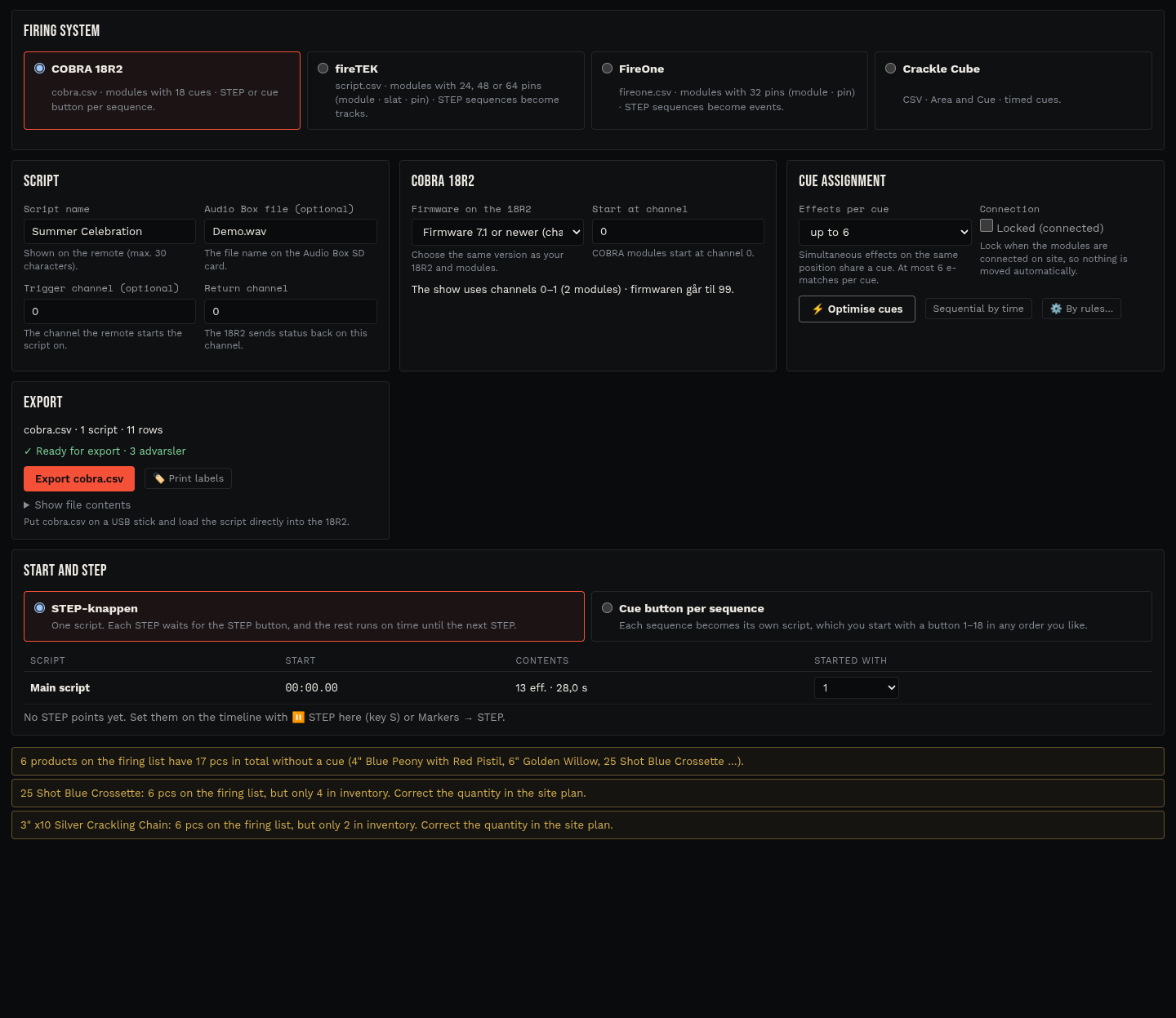
Choose the firing system in the script settings and OmniPyro adapts addresses, tracks and the export file to it.
Request beta accessOmniPyro is in beta. Access is approved before you start.
fireTEK
For fireTEK, OmniPyro addresses effects as module, slat and pin on 24, 48 or 64-cue modules and writes the script file in versions V1 to V4. STEP points on the timeline become tracks: track 0 runs with the show, and every further track is started separately on the controller.
FireOne
For FireOne, effects are addressed as module and pin on 32 or 30-cue modules. The export contains launch time, delay, event, quantity, product ID, description, comment and position for every cue, and STEP sequences become events.
Crackle Cube
For Crackle Cube, OmniPyro exports a CSV file for Crackle Show Creator with the supported module types and ordinary timed cues. Chains get one row at the first ignition. STEP, manual triggering and DMX are not exported to this format, and the validation tells you why.
How the workflow fits together
- Pick the firing system and module type in the script settings.
- Check the addresses, tracks or events in the cue list and module plan.
- Export the script and test it with the firing system before use.
Questions about this workflow
Can I switch firing system after the show is designed?
Yes. The timeline is independent of the firing system. When you switch, OmniPyro reassigns the addresses unless the cues are locked.
Are the exports tested with real hardware?
The formats follow the manufacturers' published descriptions. Always test an exported script with your own firing system before the show.