
Professional fireworks software
From timeline to COBRA script.
Build the show on a timeline and export a COBRA 18R2 script with channels, cues, STEP sequences and labels that match the show.
Request beta accessOmniPyro is in beta. Access is approved before you start.
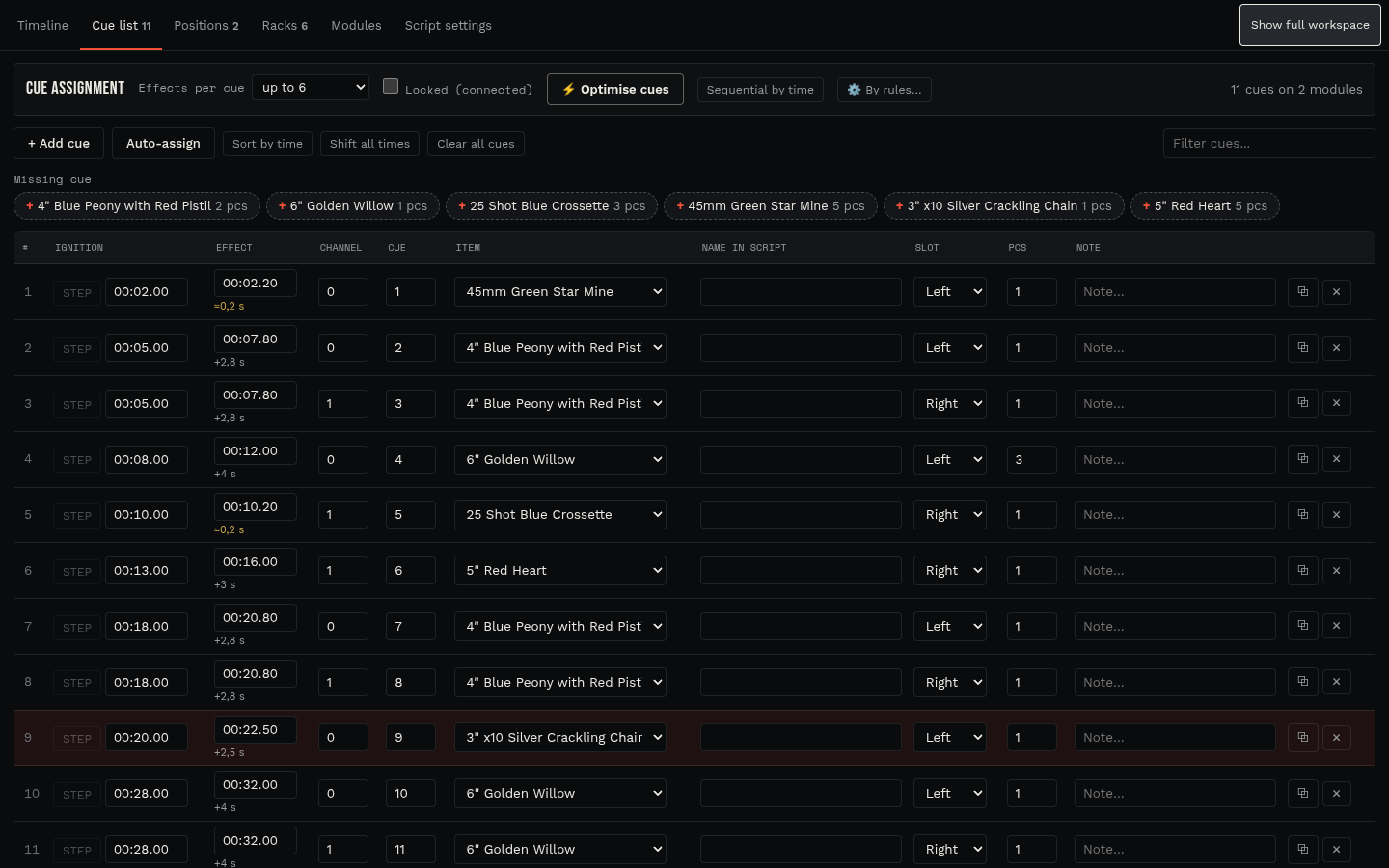
Automatic channel and cue assignment
OmniPyro gives every effect a module and cue that belong to its position, starting at channel 0 with cues 1 to 18. Simultaneous effects on the same position can share a cue, up to six e-matches per cue, and the assignment can follow your own rules for product type, calibre and part number.
Modules can be rearranged by drag and drop, and the cue list shows every row of the script with times, quantities, angles and notes. Once the show is connected on site, the cues can be locked so nothing is renumbered.
STEP sequences and cue buttons
Mark STEP points on the timeline to split the show into sequences that wait for the operator. Sequences can also be started from cue buttons on the 18R2, and OmniPyro writes one script per sequence. The validation warns about duplicate buttons, too many scripts and firmware limits.
The export is a COBRA CSV file with the AudioBox file name for the music. Load it into the 18R2 from a USB stick and test it with your own equipment before the show.
Labels and crew documents from the same data
Print one label per e-match with channel, cue, position, product, angle and chain information on common A4, Letter and roll label formats. Cue sheets, module plans, rack plans and packing lists use the same show data, so the crew works from the version you exported.
How the workflow fits together
- Design the show on the timeline with positions and products.
- Let OmniPyro assign channels and cues, and add STEP sequences or cue buttons.
- Export the COBRA script and print labels and module plans for the crew.
Questions about this workflow
Which COBRA hardware is supported?
OmniPyro exports scripts for the COBRA 18R2 firing system, including STEP and cue-button sequences and the AudioBox music file name.
Can I keep my own channel numbering?
Yes. Channels and cues can be edited by hand or assigned by rules, and locking the cues stops all automatic renumbering.
Does OmniPyro send the script to the firing system?
No. OmniPyro creates the script file. You load it into the firing system yourself and test it with your equipment.