
Professional fireworks software
Design your pyromusical around the music.
Bring music, effects and firing positions together on a timeline, then review the show in 3D.
Request beta accessOmniPyro is in beta. Access is approved before you start.
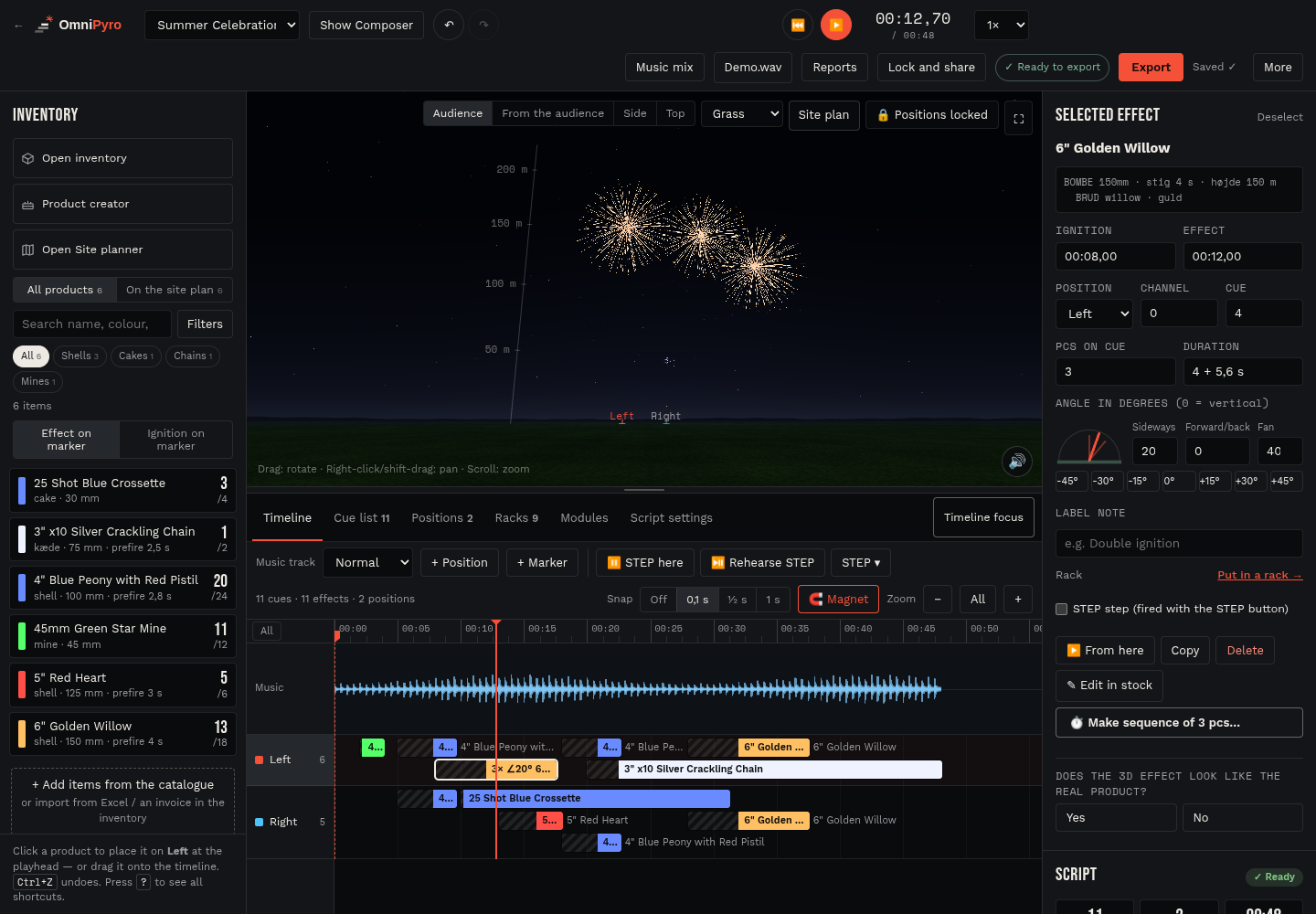
Work with the music and your own effects
A pyromusical starts with decisions about pace, contrast and where each effect belongs in the music. OmniPyro brings the music timeline and the company's products into the same workspace, so a designer can place effects, adjust their timing and review how the sequence develops.
Use the music mix tools when a show combines several songs. Review the waveform, move the playhead to a passage and use markers to organise the sequence. Timeline focus gives the music and cues more room when you are working on a detailed section.
Review the show in its setting
The 3D preview helps you compare the arrangement of positions, colours, breaks and tails before producing the working script. A satellite or map view provides context for the actual location, while site-plan markings can help you relate the design to the planned area.
The preview is a design aid. It does not replace knowledge of the products, the operator's assessment of the site or checks of the exported script. The same product and position data can continue into rack planning, labels and the crew's show information.
How the workflow fits together
- Choose the show, its site plan and the products available for it.
- Build the music mix and place effects at the required points on the timeline.
- Review the 3D sequence, refine the timing and check the final script for the selected system.
Questions about this workflow
Can I combine several songs?
OmniPyro includes music mix tools for arranging multiple tracks in a show. The timeline and waveform help you review the resulting sequence.
Can I use my own products?
Shows use the company's inventory. Product descriptions and Product creator provide the effect information used by the preview.