
Professional fireworks software
Build your products row by row.
Describe a cake's physical rows, effects and timing, then use that definition in inventory and the 3D show preview.
Request beta accessOmniPyro is in beta. Access is approved before you start.
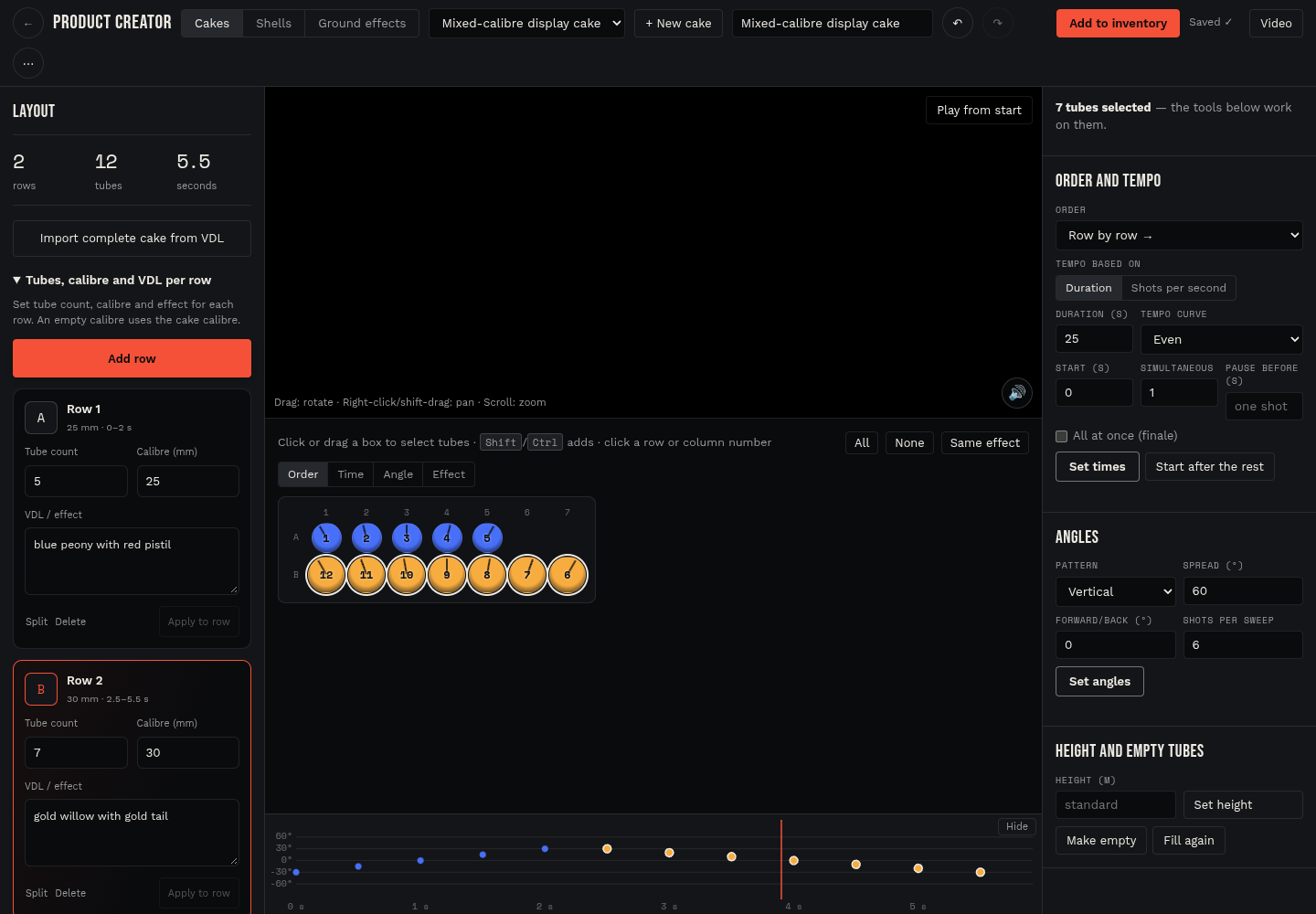
Give each physical row its own construction
A cake does not need the same number of tubes or the same calibre in every row. Product creator puts tube count, calibre and VDL effect together in each row card. Add another row, adjust its fields and select its letter to highlight the corresponding tubes.
Existing rows can be split while retaining their shot timing, effects and angles. The definition carries through to the saved native cake, its inventory snapshot, the 3D preview and the printed specification. Undo lets you review structural changes while building the product.
Import VDL and check the result
Paste a complete cake VDL to import its effect descriptions and firing sequence. CAK sequences can preserve inherited angles and millisecond delays. The tested 129-shot compound retains thirteen effect groups, and the editor supports up to 120 physical rows within the 600-tube limit.
CAK describes a firing sequence rather than the manufacturer's physical rows. Use the actual product information to arrange the construction, and check the imported timing and effects before use. Descriptions with conflicting shot counts need source verification; unusual effect words are not a guarantee of an identical simulation in another program.
How the workflow fits together
- Choose New cake → Build row by row, or import a complete cake through Paste VDL.
- Set each row's tube count, calibre and effect, and review its firing times and angles.
- Check the 3D preview and specification before adding the native product to inventory.
Questions about this workflow
Can the calibre vary within a cake?
Each physical row can have its own calibre and tube count. An empty row calibre uses the cake's default calibre.
Does CAK import specify the physical rows?
CAK describes shot order, angles and timing. The operator still needs the product's physical construction and can use Split to arrange the rows without retiming the existing shots.